Python Inheritance - Beginner's Guide with Examples
Learn Python OOP inheritance with Beginner's examples! Understand parent & child classes, method overriding, `super()`, and multilevel inheritance.
Table of Contents
- What is Inheritance?
- Single Inheritance
- Multilevel Inheritance
- Python Multiple Inheritance
- What is Method Resolution Order (MRO) in Python?
🔷 What is Inheritance?
Inheritance is a way to create a new class from an existing class.
It helps us reuse code, extend functionality, and follow the DRY (Don’t Repeat Yourself) principle.
For more details about DRY principle, see DRY Principle in Software Development: Avoid Code Repetition
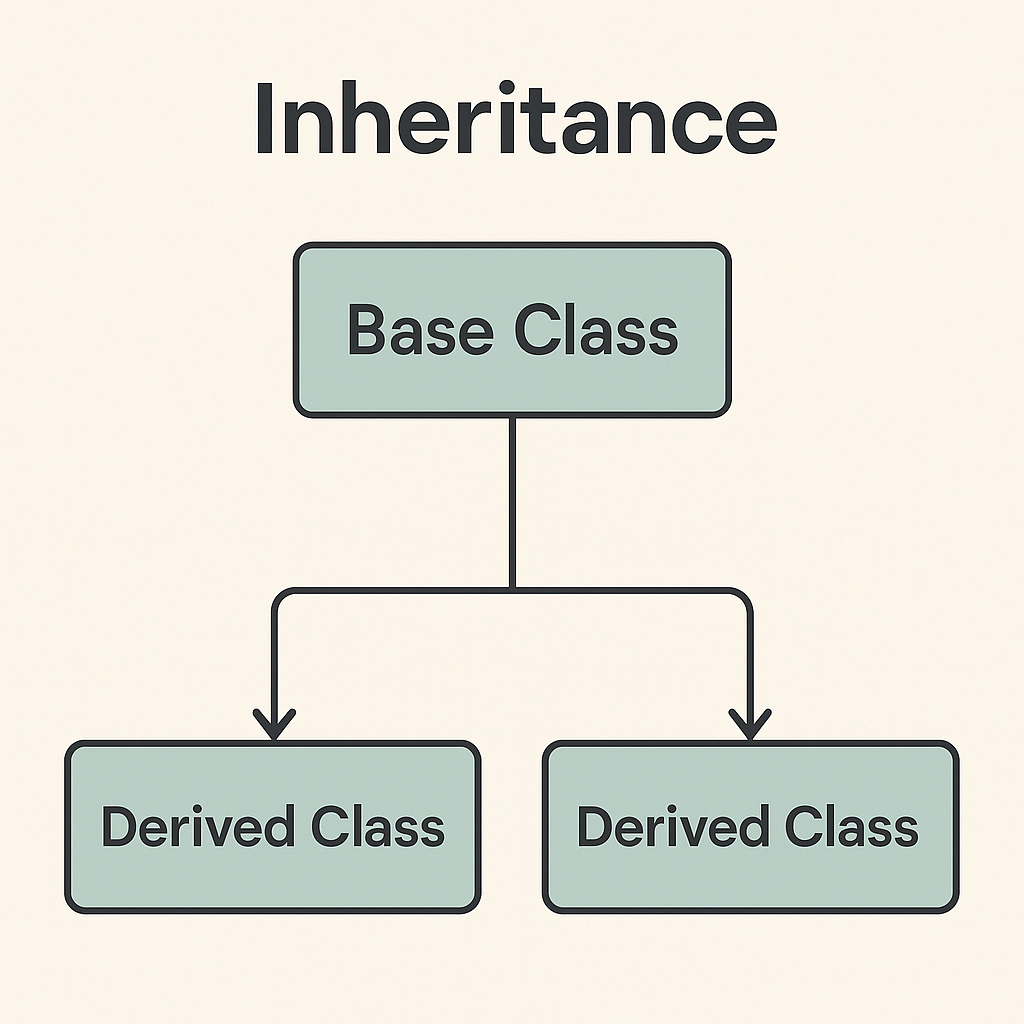
✅ Key Points:
- The base class (or parent class) contains common features.
- The derived class (or child class) inherits from the base class and can:
- Use parent’s methods and attributes
- Add its own attributes and methods
- Modify (override) methods from the parent class.
Think of inheritance like a family tree. A child inherits traits (methods and attributes) from their parents, but they can also have their own unique traits.
Single Inheritance
Single Inheritance is a type of inheritance where a child class inherits from only one parent class. This allows the child class to reuse the methods and attributes of the parent class while also adding its own unique features.
🔹 1. Creating a Parent Class
class Person:
    def __init__(self, name):
        self.name = name

    def introduce(self):
        print(f"Hi, I'm {self.name}")
🔍 Explanation:
__init__is the constructor; it runs when the object is created.introduce()is a method that prints a greeting.
🔹 2. Creating a Child Class (Inheritance)
class Student(Person):
    pass
🔍 Explanation:
Studentclass inherits fromPersonusing(Person).passmeans no additional code — it still works because it inherits fromPerson.
s = Student("Ali")
s.introduce()  # Output: Hi, I'm Ali
🔹 3. Adding New Methods to the Child Class
class Student(Person):
    def study(self):
        print(f"{self.name} is studying.")
s = Student("Bob")
s.introduce()  # Inherited from Person
s.study()      # Defined in Student
🔹 4. Overriding Methods
If a child class provides its own implementation of a method that is already defined in the parent class, it “overrides” the parent’s method.
You can change how a method works in the child class.
class Student(Person):
    def introduce(self):  # Overriding the method
        print(f"Hello, I'm student {self.name}")
s = Student("Ahmad")
s.introduce()  # Output: Hello, I'm student Ahmad
Example: Method Overriding — Birds That Fly (and One That Doesn’t)
# PARENT CLASS (the general rule)
class Bird:
    def fly(self):
        # This is the DEFAULT behavior for all birds
        print("Most birds can fly.")

# CHILD CLASS 1 — OVERRIDES fly()
class Penguin(Bird):
    # Penguin INHERITS everything from Bird,
    # but it OVERRIDES the fly() method with its own version
    def fly(self):
        # This replaces Bird's fly() for any Penguin object
        print("Penguins cannot fly — they swim!")

# CHILD CLASS 2 — DOES NOT OVERRIDE fly()
class Sparrow(Bird):
    # Sparrow inherits from Bird but does NOT define its own fly()
    # So it will automatically use Bird's fly() method as-is
    def sing(self):
        print("Sparrows can sing beautifully!")

# TESTING IT
print("--- Penguin ---")
p = Penguin()
p.fly()     # Uses Penguin's OWN fly() → overriding in action
            # Output: Penguins cannot fly — they swim!

print("\n--- Sparrow ---")
s = Sparrow()
s.fly()     # No fly() in Sparrow, so Python goes UP to Bird and uses that
            # Output: Most birds can fly.
s.sing()    # Sparrow's own method, not inherited
            # Output: Sparrows can sing beautifully!

print("\n--- Bird ---")
b = Bird()
b.fly()     # The original, unchanged method
            # Output: Most birds can fly.

# HOW PYTHON SEARCHES FOR A METHOD (MRO — Method Resolution Order)
# ----------------------------------------------------------------
# For p.fly()  → checks Penguin ✔ found → stops here
# For s.fly()  → checks Sparrow ✖ not found → checks Bird ✔ found → stops here
# For b.fly()  → checks Bird ✔ found → stops here
Comparison Table
| Class | Has own fly()? |
Behavior |
|---|---|---|
Bird |
✅ Yes (original) | Prints the default message |
Penguin |
✅ Yes (overridden) | Prints its own custom message |
Sparrow |
❌ No | Falls back to Bird’s fly() automatically |
Key insight: If a child class does not override a method, Python automatically travels up the inheritance chain and uses the parent’s version. You don’t have to do anything — it just works.
🔹 5. Using super() to Call the Parent Method
The super() function is used to call methods from the parent class inside the child class. This is most commonly used in the init method to ensure the parent class is properly initialized.
If you override a method, but still want to use the original version from the parent, use super().
class Student(Person):
    def introduce(self):
        super().introduce()  # Call Person's version
        print("I'm also a student.")
s = Student("Hamza")
s.introduce()
# Output:
# Hi, I'm Hamza
# I'm also a student.
Example: super() - Person and Teacher Classes
# PARENT CLASS
class Person:
    def __init__(self, name):
        # Every Person has a name
        self.name = name

# CHILD CLASS
class Teacher(Person):
    def __init__(self, name, subject):
        # Step 1: Call Person's __init__() using super()
        #         This sets self.name — just like Person does
        #         Without this line, self.name would never be assigned!
        super().__init__(name)

        # Step 2: Now add Teacher's OWN extra attribute
        self.subject = subject

# TESTING IT
t = Teacher("Mr. Ahmed", "Mathematics")

print(t.name)      # Set by Person.__init__() via super()
                   # Output: Mr. Ahmed

print(t.subject)   # Set by Teacher.__init__() directly
                   # Output: Mathematics
WHAT HAPPENS STEP BY STEP WHEN Teacher(“Mr. Ahmed”, “Mathematics”) IS CALLED?
- Python calls Teacher.init(“Mr. Ahmed”, “Mathematics”)
- Inside it, super().init(“Mr. Ahmed”) calls Person.init()
- Person.init() sets self.name = “Mr. Ahmed”
- Back in Teacher.init(), self.subject = “Mathematics” is set
- The Teacher object is now fully initialized with BOTH attributes
Why Not Just Write Person.__init__(self, name) Instead?
You can, but super() is the better practice:
| Approach | Code | Problem |
|---|---|---|
| Without super() | Person.__init__(self, name) |
Hardcodes the parent name — breaks if you rename the class or change inheritance |
| With super() | super().__init__(name) |
Flexible, clean, and works correctly with multiple inheritance |
Simple analogy: Imagine you’re a Teacher filling out a form. Instead of rewriting your personal details from scratch, you say “copy everything from my Person profile” and then just add your subject on top. That’s exactly what
super()does.
Example: super() - Vehicle and Car Classes
# Parent class
class Vehicle:
    def __init__(self, brand):
        # Brand of the vehicle (e.g., Toyota, Ford)
        self.brand = brand

    def drive(self):
        print("The vehicle is moving.")

# Child class
class Car(Vehicle):
    def __init__(self, brand, model):
        # Call the parent class constructor to set the brand
        super().__init__(brand)
        # Set the model of the car (e.g., Corolla, Mustang)
        self.model = model

    # Override the drive method with a more specific message
    def drive(self):
        print(f"The {self.brand} {self.model} is driving.")

# Creating an object of the parent class
vehicle = Vehicle("GenericBrand")
print("Calling drive() on Vehicle object:")
vehicle.drive()  # Output: The vehicle is moving.

print("\nCreating a Car object...")
# Creating an object of the child class
car = Car("Toyota", "Corolla")

print("Calling drive() on Car object:")
car.drive()  # Output: The Toyota Corolla is driving.

# Accessing attributes
print("\nAccessing Car attributes:")
print("Brand:", car.brand)  # Output: Toyota
print("Model:", car.model)  # Output: Corolla
🚗 Imagine This:
- A Vehicle is like a general category (e.g., anything that moves on wheels).
- A Car is a specific type of Vehicle.
🔍 What’s Happening
- Parent Class -
Vehicle- Has a
brand(like “Toyota”). - Has a
drive()method that prints a basic message.
- Has a
- Child Class -
Car- Inherits from
Vehicle(so it getsbrandanddrive()). - Adds a new attribute:
model(like “Corolla”). - Changes (overrides) the
drive()method to be more specific.
- Inherits from
- Using the Classes
- When you call
drive()on aVehicle, it says a generic message. - When you call
drive()on aCar, it says a message with the brand and model.
- When you call
Multilevel Inheritance in Python
Multilevel Inheritance is a type of inheritance where a class (child class) inherits from another class (parent class), and then another class (grandchild class) inherits from the child class. This forms a chain of inheritance.
Person (Parent Class)
    ↳ Student (Child Class)
        ↳ GraduateStudent (Grandchild Class)
Multilevel Inheritance Example: Person, Student, and GraduateStudent in Python
class Person:
    def speak(self):
        print("Person speaks")

class Student(Person):
    def study(self):
        print("Student studies")

class GraduateStudent(Student):
    def research(self):
        print("Graduate student does research")

g = GraduateStudent()
g.speak()
g.study()
g.research()
Example: E-Commerce Product Catalog
Scenario
Different types of products (e.g., physical, digital, subscription) share common attributes but have unique behaviors. Inheritance helps avoid code duplication.
Base Class
class Product:
    def __init__(self, name, price, sku):
        self.name = name
        self.price = price
        self.sku = sku

    def apply_discount(self, discount_percent):
        self.price *= (1 - discount_percent / 100)
        return self.price

    def get_description(self):
        return f"{self.name} (SKU: {self.sku}) - ${self.price:.2f}"
Subclasses with Specialized Logic
class DigitalProduct(Product):
    def __init__(self, name, price, sku, file_size):
        super().__init__(name, price, sku)
        self.file_size = file_size  # Unique to digital products

    def download_link(self):
        return f"https://store.com/download/{self.sku}"

class PhysicalProduct(Product):
    def __init__(self, name, price, sku, weight):
        super().__init__(name, price, sku)
        self.weight = weight  # In grams

    def calculate_shipping(self):
        return max(5, self.weight * 0.01)  # $0.01 per gram, min $5

class SubscriptionProduct(Product):
    def __init__(self, name, price, sku, duration_months):
        super().__init__(name, price, sku)
        self.duration_months = duration_months

    def renew(self):
        print(f"Subscription renewed for {self.duration_months} months.")
Usage
# Create instances
ebook = DigitalProduct("Python Guide", 29.99, "D123", "50MB")
tshirt = PhysicalProduct("Python T-Shirt", 19.99, "P456", 300)
subscription = SubscriptionProduct("Premium Access", 9.99, "S789", 12)

# Use inherited methods
ebook.apply_discount(10)  # Applies 10% discount
print(ebook.get_description())  # Output: "Python Guide (SKU: D123) - $26.99"

# Use subclass-specific methods
print(tshirt.calculate_shipping())  # Output: 5.0 (300g * $0.01 = $3, but min $5)
print(subscription.renew())         # Output: "Subscription renewed for 12 months."
Keypoints
- Code Reuse: Common logic like
apply_discountis defined once in the base class. - Specialization: Subclasses add unique attributes (
file_size,weight) and methods (download_link,calculate_shipping). - Polymorphism: All products can be treated uniformly (e.g., stored in a list of
Productobjects). - Extensibility: New product types (e.g.,
BundleProduct) can be added without modifying existing code.
This example mirrors real-world systems like Shopify or WooCommerce, where inheritance simplifies managing diverse product types.
🧠 Summary
| Concept | Description |
|---|---|
class Child(Parent) |
Defines a new class that inherits from Parent |
super() |
Calls a method from the parent class |
| Method override | Redefine a parent method in the child class |
| Reusability | Inheritance helps reuse code and reduce repetition |
Common Mistakes to Avoid
- Forgetting to use
selfin methods. - Not calling the parent class’s
__init__method when overriding it. - Overriding a method but forgetting to use
super()if needed.
Further reading
- What is Method Resolution Order (MRO) in Python?
- Multiple Inheritance in Python: Child Class with More Than One Parent
🧠 Practice & Progress
- ✅ True or False
- ✍️ Fill in the Blanks
- 📝 Multiple-Choice Questions (MCQs)
- 🔍 Find and Fix Mistakes 🌐 ✅ Online Quizzes - Test your Knowledge 📊
- 💻 Online Quiz
- 🏋️♂️ Exercises
- 🧪 Mini Projects
- 🔄 Review Questions
Explore More Topics
📘 Learn Python
Tutorials, Roadmaps, Bootcamps & Visualization Projects